
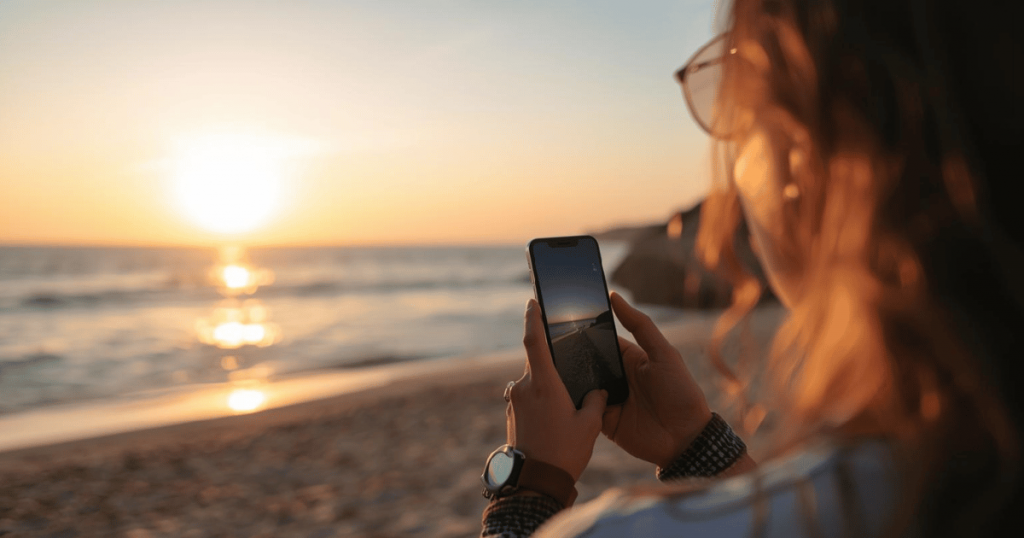
Planning a trip along Croatia’s stunning Adriatic shoreline doesn’t require a laptop, paper maps, or printed tickets. With the right apps and a reliable mobile connection, you can navigate ferries, book accommodation, and explore islands from Zadar to Dubrovnik using nothing but your cell phone. This guide walks you through everything you need to know to make your Dalmatian coast adventure completely phone-powered.
Quick-start: how to land in Split or Dubrovnik and be phone-ready in 10 minutes
This is your “do this first” checklist for arriving at Split Airport (SPU) or Dubrovnik Airport (DBV) and being fully operational using only your phone. Follow these steps before you even leave the arrivals hall.
Step 1: Connect safely on arrival
When your plane touches down, turn on airplane mode and connect to the free wifi available at both airports. Before enabling datový roaming, go into your iOS or Android settings and disable it to avoid surprise charges from your home carrier.
Step 2: Get your SIM sorted
You have two main options:
| Možnost | Where to Get It | Typické náklady | Nejlepší pro |
|---|---|---|---|
| eSIM (Airalo, Holafly) | Download before departure | €15-30 for 10-20 GB | Quick setup, no physical card |
| Fyzická stránka Karta SIM | Airport kiosks (T-Mobile, A1, Telemach) | €10-25 for 10-20 GB | Those without eSIM support |
Both options typically provide 7-15 days of validity during summer 2026, with unlimited internet plans available at slightly higher prices.
Step 3: Download essential apps while on airport wifi
Install these core apps before leaving the terminal:
- Mapy Google (with offline Dalmatia maps)
- Jadrolinija app (official ferry operator)
- Uber or Bolt (taxi app for Split and Dubrovnik)
- GetByBus (intercity bus tickets)
- Překladač Google (download the Croatian offline pack)
- Currency converter (Croatia uses EUR)
Step 4: Arrange your airport přenos
In both Split and Dubrovnik, Uber and Bolt operate reliably. Open either taxi app, enter your destination, and your ride will arrive within minutes. If ride-hailing shows limited availability, check the official Dubrovnik Airport website or local shuttle bus apps for alternatives.
From this point onward, all navigation, tickets, and bookings on your trip can be handled from your mobile phone without printing anything.
Setting up your phone for Croatia (roaming, eSIMs & Wi-Fi)
Good connectivity is the foundation of phone-only travel. Croatia uses the euro and has excellent 4G/5G coverage along the Dalmatian coast, so staying connected is straightforward once you understand your options.
Three ways to get internet access
Option 1: EU roaming add-on
If you’re traveling from an EU country, your home carrier likely includes roaming at no extra cost. Check your plan details—most include your domestic data allowance throughout the EU.
Option 2: Croatian prepaid SIM
A local sim card from A1, T-Mobile, or Telemach costs €10-25 for tourist packages. You’ll find kiosks in Split, Zadar, and Dubrovnik airports and city centers. Typical summer packages offer 10-20 GB valid for 7-15 days.
Option 3: eSIM before departure
Apps like Holafly and Airalo let you install a sim before you even board your flight. Prices range from €15-30 for a week of data. This option requires an odblokovaný telefon with eSIM support.
Installing an eSIM step-by-step
- Purchase your eSIM plan through the provider’s app or website
- Receive a QR code via email
- While connected to wifi, go to Settings > Cellular > Add eSIM (iOS) or Settings > Síť > SIM > Add eSIM (Android)
- Scan the QR code
- Label the plan “Croatia” for easy identification
Stažení map offline
Before leaving fast wifi, download offline Google Maps areas for:
- Split and surrounding coast
- Zadar region
- Islands: Hvar, Brač, Korčula, Mljet, Vis
- Dubrovnik and Pelješac Peninsula
This ensures you can navigate even when signál drops in remote coves or mountain roads.
Stay in touch with friends and family
Set up wifi calling through your carrier’s app, and ensure WhatsApp, Viber, or Signal are installed for messaging. Almost all Croatian accommodation providers use WhatsApp for guest communication, making it essential for coordinating check-ins and local recommendations.
Essential navigation & transport apps along the Dalmatian coast
Buses, ferries, and ride-hailing can all be managed from your phone, eliminating the need for printed tickets or in-person timetable checks. Here’s how to move around efficiently.
Walking and city navigation
Google Maps works excellently for walking routes in Split, Zadar, Šibenik, and Dubrovnik. It includes basic public transport overlays showing bus stops and routes. For the maze-like old towns, having offline maps downloaded makes navigation reliable even without signal.
Intercity buses
Three apps handle most intercity bus travel:
| Aplikace | Best Routes | Funkce |
|---|---|---|
| GetByBus | Split-Zadar, Split-Dubrovnik | Mobile tickets, schedule search |
| FlixBus | Major city connections | Competitive prices, frequent departures |
| Arriva Croatia | Regional routes | Local bus networks |
Search your route, compare prices, and store mobile tickets directly in the app. No printing required.
Ride-hailing and taxis
Uber and Bolt operate in Split, Dubrovnik, and the Zadar region, with seasonal coverage on some islands. Use them for:
- Airport transfers
- Late-night rides after ferries
- Short hops between beaches
- Avoiding haggling with street taxis
Prices are transparent and typically 20-30% cheaper than traditional taxis.
For car travelers
The Croatian Auto Club (HAK) app provides live traffic updates, nearest gas stations, and roadside assistance kontakty. It’s invaluable when driving the coastal D8 road or crossing the Pelješac Bridge (€2 toll, navigable via Waze).
When parking near old towns like Split, Trogir, or Dubrovnik, drop a pin in Google Maps or HAK before leaving your auto. These medieval cities have confusing street layouts, and finding your parking lot later becomes much easier with a saved location.
Island-hopping by phone: ferries, catamarans & boat trips
Island-hopping between Brač, Hvar, Vis, Korčula, Mljet, Šolta, and others can be entirely coordinated via mobile apps without visiting ticket offices in advance. This is where the Jadrolinija app becomes your best friend.
Using the Jadrolinija app
The official ferry operator’s app handles:
- Checking timetables for routes like Split-Hvar, Split-Supetar (Brač), Dubrovnik-Korčula, Dubrovnik-Mljet
- Buying tickets with card payment
- Displaying QR codes on screen during boarding
Typical crossings cost €10-20 one-way, with multiple daily departures during summer. The Split-Hvar route takes 45-60 minutes and sees up to 20 sailings daily in peak season.
Other ferry operators
Beyond Jadrolinija, consider:
- Krilo/TP Line catamarans from Split to Hvar, Korčula, and Dubrovnik (faster but pricier)
- GetByFerry aggregator app for comparing operators
- Kapetan Luka for additional island routes
All accept mobile tickets displayed on your phone screen.
Checking conditions before booking
Fast catamarans can be cancelled in rough weather. Before booking, check:
- Weather apps like Windy for sea conditions
- Port webcams (available through some ferry apps)
- HAK for general weather warnings
This is especially important during shoulder seasons when bura winds can disrupt schedules.
Booking strategy
For popular lines like Split-Hvar and Dubrovnik-Mljet during July-August, book a few days ahead via your phone. Enable push notifications in ferry apps for schedule changes, and keep an eye on SMS alerts from the operators.
Local boat tours
For smaller excursions—Blue Cave from Vis, Elaphiti Islands from Dubrovnik, Kornati from Zadar—use Google Maps reviews and local tourist board apps to identify operators. Many accept bookings via mobile-friendly websites or direct WhatsApp contact.
City by city: using your phone in major Dalmatian destinations
This section gives concrete, app-driven tips for key stops along your route. Each city has its own character and specific apps that make exploration easier.
Zadar
The gateway to northern Dalmatia offers a perfect introduction to phone-powered travel.
- Secret Zadar app: Discover hidden spots, local stories, and off-the-beaten-path locations
- Liburnija bus info: Available via Google Maps or the official website for local buses
- Sunset timing: Use your weather app to time visits to the Sea Organ and Greeting to the Sun installations—they’re magical at golden hour
Šibenik & Krka National Park
The stunning Krka waterfalls make this an essential stop.
- Parks of Croatia app: Buy Krka National Park tickets online, access digital trail maps, and plan viewpoint visits
- GetByBus: Coordinate buses from Šibenik to the park entrance
- Boat connections: Some routes to the park involve boats—check schedules in Google Maps
Note: If you’re planning to visit Plitvice Lakes National Park further north, the same Parks of Croatia app handles tickets and maps there too.
Split
Croatia’s second-largest city deserves at least two days of exploration.
- Central Dalmatia – Official Travel Guide: Find beaches (Bačvice, Žnjan, Kašjuni), Diocletian’s Palace walking routes, and ferry planning
- Uber/Bolt: Essential for getting around quickly, especially to beaches outside the center
- Offline mapy: The Old Town built within Roman palace walls is a maze—download before you arrive
Split serves as the major hub for island ferries, so use Jadrolinija to plan your onward route to Hvar, Brač, or Vis.
Hvar & Brač
These popular islands reward those who explore beyond the main towns.
- Jadrolinija schedules: Essential for planning arrivals and departures
- WhatsApp: Many local taxi operators and accommodation hosts share contact numbers—message directly for pickups
- Offline map pins: Save locations for beaches like Zlatni Rat (Brač) and Pokonji Dol (Hvar) before heading out
Korčula & Mljet
These quieter islands offer wine routes, national parks, and authentic Croatian atmosphere.
- Regional guide websites: Find wine routes through Lumbarda and the Pelješac Peninsula
- Mljet National Park digital maps: Navigate the twin saltwater lakes and hiking trails
- Local rental operators: Book bikes, kayaks, or scooters via mobile-friendly websites or direct messaging
Korčula’s medieval town, sometimes called “Little Dubrovnik,” is best approached by sea—time your ferry arrival for that first view of towers rising from the water.
Dubrovník
The crown jewel of the Dalmatian coast requires some planning to navigate crowds.
| Aplikace | Účel |
|---|---|
| Dubrovnik Airport app | Flight and transfer info |
| LibertasApp | Local buses between Old Town, Lapad, and Cavtat |
| Dubrovnik Guide | Beaches, walls tickets, restaurant suggestions |
The city walls see 1.5 million visitors annually, so use official portals to book “skip-the-line” tickets via your phone.
Planning & booking everything from your phone (stays, tickets, activities)
Accommodation, tours, and even restaurant reservations along the Dalmatian coast can be done entirely via apps, making a laptop unnecessary. Here’s how to handle it all.
Accommodation booking
Booking.com and Airbnb apps are your primary tools for finding apartments and rooms in Split, Zadar, Dubrovnik, and on the islands.
Klíčové tipy:
- Read recent guest reviews (last 3-6 months)
- Use in-app messaging with hosts before booking
- Filter for “free cancellation” during uncertain travel periods
- Save favorites offline for areas with poor signal
Phone-only travelers typically spend €500-1,000 per week on accommodation, compared to €5,000+ for organized luxury tours with guides.
Finding reliable tour operators
Tripadvisor and Google Maps reviews help identify quality local operators for:
- Boat trips to Elaphiti Islands
- Blue Cave excursions from Vis
- Wine tours on Pelješac or Korčula
- Cooking classes featuring traditional peka dishes
Most operators have mobile-friendly websites allowing direct booking, and many prefer WhatsApp communication for coordination.
National park tickets
Buy tickets through Parks of Croatia or official park websites for:
- Krka National Park
- Mljet National Park
- Plitvice Lakes National Park (if you extend your trip)
Store QR codes in your phone wallet and take screenshots as backup. This ensures entry even with poor signal at park gates.
Organizing your tickets
Sync all tickets into Apple Wallet or Google Wallet:
- Airline boarding passes (Ryanair, Croatia Airlines)
- Bus tickets (FlixBus, GetByBus)
- Ferry reservations (Jadrolinija, Krilo)
- Park entry passes
Create a dedicated “Travel” folder in your photos for backup screenshots.
Keeping your itinerary organized
Use note-taking apps or dedicated itinerary tools to maintain a day-by-day plan:
- Day 1-2: Split (Diocletian’s Palace, beaches)
- Day 3: Brač (Zlatni Rat beach)
- Day 4-5: Hvar (town exploration, boat tours)
- Day 6-7: Korčula (wine tasting, medieval streets)
- Day 8-9: Dubrovnik (walls, Elaphiti Islands)
Link each day to relevant apps and booking confirmations for quick access.
Language, money & staying safe with just your phone
While English is widely spoken along the tourist-heavy Dalmatian coast, a few Croatian phrases, awareness of euros, and digital safety practices will make phone-only travel smoother.
Language apps
Google Translate handles most translation needs—download the Croatian offline pack before your trip. For learning basic phrases, other translation apps like Mondly offer structured lessons covering:
- Greetings (Dobar dan = Good day)
- Ordering food and drinks
- Asking for directions
- Numbers and prices
Even simple attempts at Croatian earn goodwill with locals.
Managing money
Croatia uses the euro (EUR), making transactions straightforward for European visitors.
Recommended setup:
- Currency converter app for quick calculations
- Digital banking apps (Revolut, Wise, or your home bank) for tracking spending
- Contactless payment enabled on your phone
Contactless payments work widely in Split, Zadar, Dubrovnik, and on major islands. However, keep €50-100 in cash for:
- Small konobas (traditional restaurants)
- Local markets
- Remote ferry kiosks
- Camping sites and beach vendors
Digital safety essentials
Public wifi in cafés and marinas requires caution:
| Risk | Řešení |
|---|---|
| Unsecured networks | Použijte VPN apps on public wifi |
| Phone theft | Enable screen lock with PIN/Face ID |
| Ztracené fotografie | Back up to cloud services over wifi nightly |
| Lost documents | Store passport/insurance copies in secure cloud skladování |
Emergency preparation
Before your first time in Croatia, set up these safety features:
- Povolení funkce “Najít můj iPhone” nebo “Najít mé zařízení” v systému Android”
- Share live location on WhatsApp with a trusted contact during hikes
- Save local emergency numbers (112 for emergencies, embassy contacts)
- Keep accommodation addresses saved offline
These precautions make sense for any destination expert traveling independently.
Making the most of downtime: photos, social & offline fun
Your phone is also your kamera, journal, and entertainment hub while riding buses or ferries along the Dalmatian coast. Here’s how to maximize those in-between moments.
Documenting your adventure
Instagram transforms your trip into shareable memories:
- Capture sunsets at Zadar’s Sea Organ
- Document Hvar nightlife and beach bars
- Photograph Dubrovnik’s walls from Mount Srđ
- Share island beach discoveries
Tag local tourism boards and use location tags—you might get featured and connect with other travelers exploring the same route.
Photo organization
Don’t wait until you return home to sort thousands of images. Each evening over hotel wifi:
- Create albums by destination (Split, Brač, Korčula)
- Back up to iCloud, Google Photos, or Dropbox
- Delete obvious duplicates to free storage
This protects your memories if your phone is damaged and makes sharing with friends easier.
Keeping a travel journal
Use a notes app to record:
- Restaurant names and standout dishes
- Wine labels from Pelješac and Korčula tastings
- Hidden coves recommended by locals
- Contact info for exceptional tour guides
These details become invaluable when recommending spots to other travelers or planning a return visit.
Offline entertainment
Bus and ferry rides offer perfect downtime for:
- Downloaded Spotify or Apple Music playlists
- Podcasts about Croatian history and culture
- Audiobooks for longer crossings
- Light games (fun fact: Doodle Jump 2 was created by Croatian studio Lima Sky)
Download everything while on strong wifi to avoid buffering issues.
The bottom line
With a bit of prep and the right apps, the Dalmatian coast—from Zadar to Dubrovnik and its many islands—can be fully explored, booked, and enjoyed using only your phone. No laptop, no printed tickets, no travel agent required. Your next Croatian holiday starts with downloading a few essential apps and trusting that everything you need fits in your pocket.
Whether you’re chasing the interesting history of medieval towns, swimming in crystalline bays, or sampling local wines on remote islands, your mobile phone handles it all. The world of independent travel has never been more accessible—now it’s time to explore.